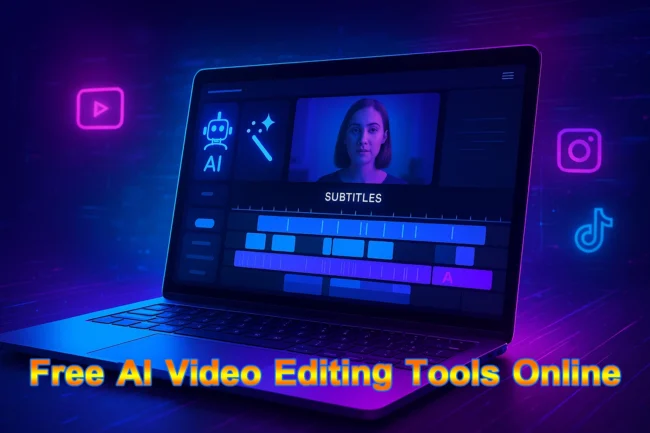
In the fast-growing world of content creation, video editing has become an essential skill. However, not everyone has access to expensive software or advanced editing knowledge. This is where free AI video editing tools online make a huge difference. These tools leverage artificial intelligence to simplify editing, automate tasks, and speed up the entire process — all while being accessible from your web browser without downloads or costly subscriptions.
Whether you are a content creator, marketer, student, or business professional, AI video editors can help you create professional-looking videos in minutes. In this article, we’ll explore the best free AI video editing tools online, their features, and how they can help you save time and effort.
Why Use AI Video Editing Tools?
AI-powered video editors offer more than just basic trimming and cutting. They automate tasks that normally take hours, such as:
-
Auto Subtitles & Captions – Generate subtitles instantly to improve accessibility.
-
Text-to-Video Creation – Convert written text into videos with stock footage, animations, and voiceovers.
-
AI Enhancements – Features like noise removal, silence detection, and automatic transitions.
-
Time Efficiency – AI drastically reduces the time required to edit content.
-
Beginner Friendly – Easy to use for people with little or no editing experience.
Now, let’s look at the best free AI video editing tools available online.
| Tool | Best For | Key Features | Notes |
|---|---|---|---|
| Vmaker AI Video Editor | Auto-editing and social media clips |
|
Ideal for creators who want quick results without complex timelines. |
| Kapwing AI Video Editor | Beginners and teams |
|
Great for social, YouTube, and educational content; very beginner-friendly. |
| Canva AI Video Editor | Design-driven creators |
|
Seamless choice for existing Canva users. |
| VEED.IO | All-in-one editing |
|
Powerful yet simple; suits businesses, educators, and influencers. |
| Adobe Express Video Editor | Templates and quick projects |
|
Professional results for small businesses and marketers. |
| Clipchamp | Windows users and professionals |
|
Owned by Microsoft; integrates well with Windows & Teams. |
| Renderforest AI Video Editor | Small teams and startups |
|
Excellent for promos, explainers, and branded content. |
| InVideo AI Editor | Text-based video creation |
|
Advanced text-to-video workflows for marketers and teams. |
| Vizard.ai | Repurposing long videos |
|
Fastest option to create viral shorts from long-form content. |
1. Vmaker AI Video Editor
-
Best For: Auto-editing and social media clips
-
Key Features:
-
Automatic editing from raw footage or text prompts
-
Manual editing options for more control
-
AI subtitles and translations
-
Background removal and trendy highlight reels
-
100% free, watermark-free exports
-
Vmaker is ideal for creators who want quick results without worrying about complicated timelines.
2. Kapwing AI Video Editor
-
Best For: Beginners and teams
-
Key Features:
-
Automatic B-roll generation
-
Subtitles and translations powered by AI
-
Audio clean-up and voice enhancement
-
Online collaboration for teams
-
Free to use, no software installation
-
Kapwing is one of the most beginner-friendly editors online, making it perfect for social media content, YouTube, and educational videos.
3. Canva AI Video Editor
-
Best For: Design-driven creators
-
Key Features:
-
Convert text to video instantly
-
Huge library of templates and stock media
-
Drag-and-drop interface for quick editing
-
Integrated with Canva design suite
-
Free tier available with no watermark
-
For people already using Canva for design, its AI video editing tool is a seamless addition.
4. VEED.IO
-
Best For: All-in-one editing
-
Key Features:
-
Text-to-video generation
-
Auto subtitles and captioning
-
AI avatars for presentations
-
Voice translations and dubbing
-
Free plan with advanced features
-
VEED.IO is powerful yet simple, suitable for businesses, educators, and social media influencers.
5. Adobe Express Video Editor
-
Best For: Templates and quick projects
-
Key Features:
-
Trim, crop, and resize instantly
-
Apply effects, transitions, and music overlays
-
AI design suggestions
-
Free plan with watermark-free exports
-
Adobe Express makes professional video editing accessible for free, especially for small businesses and marketers.
6. Clipchamp
-
Best For: Windows users and professionals
-
Key Features:
-
AI voiceover generation
-
Silence removal and noise reduction
-
Auto video composition
-
Cloud-based editing with collaboration features
-
Free basic plan
-
Now owned by Microsoft, Clipchamp integrates well with Windows and Teams, making it a great option for professionals.
7. Renderforest AI Video Editor
-
Best For: Small teams and startups
-
Key Features:
-
AI-driven customizable templates
-
Branding tools for businesses
-
Easy drag-and-drop editing
-
Export in multiple formats
-
Free plan for beginners
-
Renderforest is especially useful for creating promotional videos and branding content.
8. InVideo AI Editor
-
Best For: Text-based video creation
-
Key Features:
-
Create videos using text commands
-
Access stock media and voiceovers
-
Real-time collaboration
-
AI automation for video repurposing
-
Free tier with limited exports
-
InVideo is one of the most advanced text-to-video AI editors, perfect for content marketers.
9. Vizard.ai
-
Best For: Repurposing long videos
-
Key Features:
-
Convert podcasts, webinars, or long videos into short clips
-
Browser-based, no installation needed
-
Auto subtitles and highlights
-
Designed for TikTok, YouTube Shorts, Instagram Reels
-
Free plan available
-
If you want to quickly turn long-form content into short viral clips, Vizard.ai is one of the fastest options.
How to Choose the Best Free AI Video Editor
When selecting a free AI video editor online, consider the following:
-
Ease of Use: Some tools are better for beginners (like Kapwing, Canva), while others offer advanced features (like VEED.IO, Clipchamp).
-
Watermark Policy: Choose tools that allow watermark-free exports on free plans (like Vmaker, Adobe Express).
-
Editing Needs: For social media clips, choose Vizard or Vmaker. For branding and business, Renderforest or Canva works better.
-
Device Compatibility: If you use Windows, Clipchamp is highly integrated. For cloud editing, VEED.IO or Kapwing are great.
Frequently Asked Questions (FAQs)
1. What is an AI video editor?
An AI video editor is a tool that uses artificial intelligence to automate video editing tasks such as cutting clips, adding subtitles, enhancing audio, creating highlights, or even generating videos from text prompts.
2. Are there really free AI video editing tools online?
Yes, many platforms like Kapwing, Canva, VEED.IO, Adobe Express, Clipchamp, and Vmaker offer free AI-powered video editing features. Some are completely free with no watermarks, while others provide a basic free plan with premium upgrades.
3. Which AI video editor has no watermark?
Editors like Vmaker AI Video Editor and Adobe Express Video Editor offer free editing and exporting without watermarks, making them popular choices for creators on a budget.
4. Can AI automatically edit my raw footage into a finished video?
Yes. Tools like Vmaker, Kapwing, and Invideo AI can take raw footage or even text prompts and automatically generate polished videos with subtitles, background music, and effects.
5. Which AI video editor is best for beginners?
For beginners, Canva AI Video Editor and Kapwing are the easiest to use because of their drag-and-drop interfaces and ready-made templates.
6. Do AI video editors work on mobile?
Most AI video editors are browser-based, so they work on desktops, tablets, and smartphones without needing to install heavy software. Some also have dedicated mobile apps.
7. Can AI add subtitles and translations automatically?
Yes. Tools like VEED.IO, Clipchamp, and Kapwing can auto-generate subtitles and even translate them into multiple languages.
8. Are free AI video editing tools safe to use?
Most popular platforms are safe and widely used. Always make sure you’re using trusted websites and check their privacy policies regarding uploaded media.
9. Can AI create short videos for social media?
Absolutely. Many AI editors (like Vizard.ai and Kapwing) specialize in repurposing long videos into short clips perfect for YouTube Shorts, Instagram Reels, or TikTok.
10. Which is the best free AI video editor overall?
The “best” depends on your needs:
-
Vmaker (no watermark, full AI editing suite)
-
Kapwing (easy for social media content)
-
Canva AI Editor (fast text-to-video)
-
VEED.IO (professional features with free access)
Final Thoughts
AI has revolutionized video editing, making it faster, smarter, and more accessible to everyone. With the rise of free AI video editing tools online, anyone can create professional videos without investing in expensive software. Whether you’re making content for YouTube, Instagram, TikTok, or business presentations, these tools can help you save time and money.
By experimenting with different editors like Vmaker, Kapwing, Canva, VEED.IO, Clipchamp, Renderforest, InVideo, and Vizard.ai, you’ll find the right platform that matches your style and goals.